Welcome to the ultimate portfolio of the world's best Forex robots for MetaTrader 4, engineered exclusively for XAUUSD (Gold) by our elite development studio. With over 15 years of deep academic and algorithmic research into the volatile XAUUSD pair, we are proudly recognized as the #1 automated gold trading bot developers in the financial software industry.
Our hand-picked list is strictly sorted by capital stability, drawdown resilience, and execution efficiency. You can download any compiled EX4 file below to test its mathematical edge on precise historical data via the MT4 Strategy Tester, validate it live on a risk-free Demo account, or immediately deploy it onto your active Live production portfolio for consistent automated performance.
Witness a simulated representation of our algorithmic processing model. The advisor automatically tracks structural shifts, configures execution bands, and secures profits.
The smart engine monitors price acceleration bands and coordinates capital safety parameters.
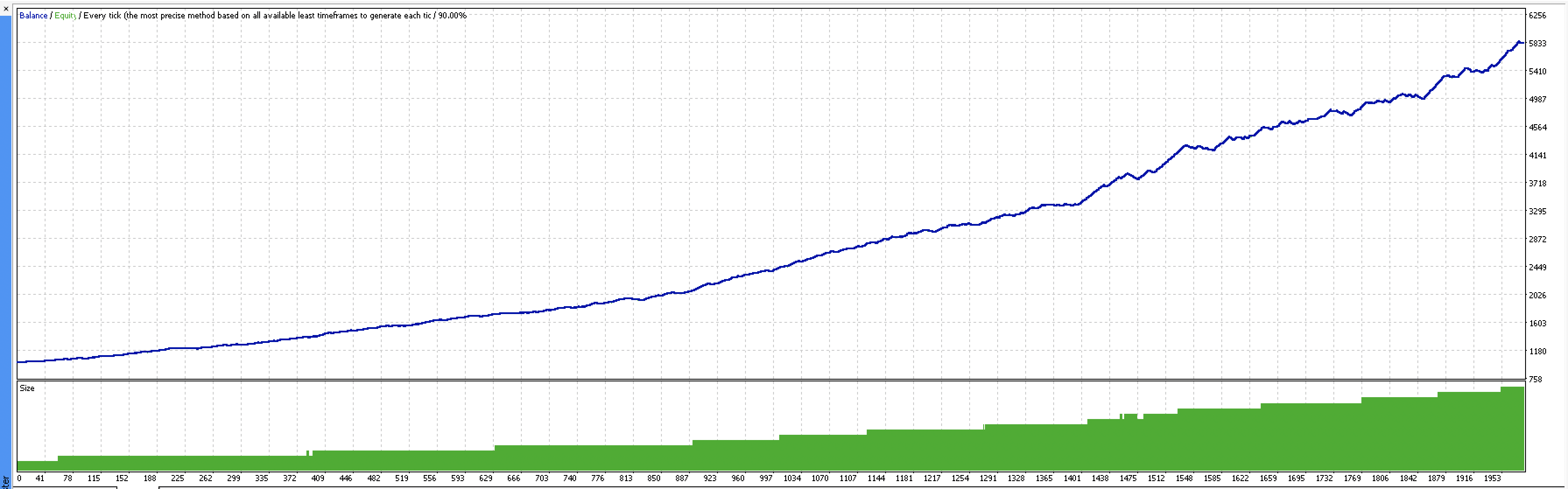
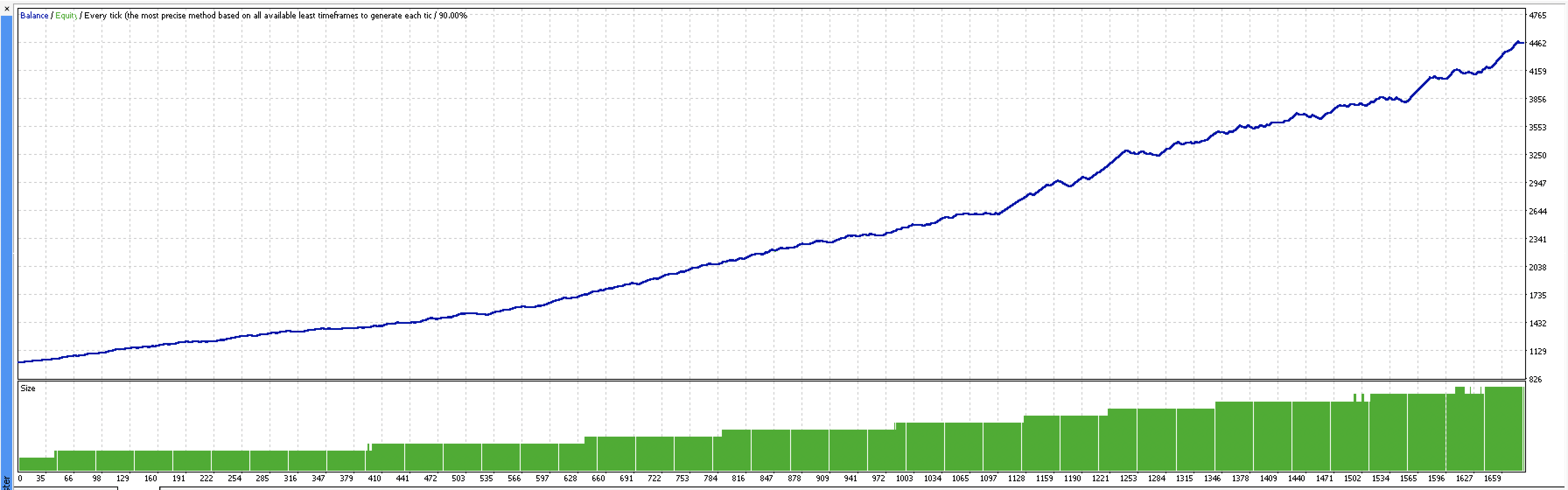
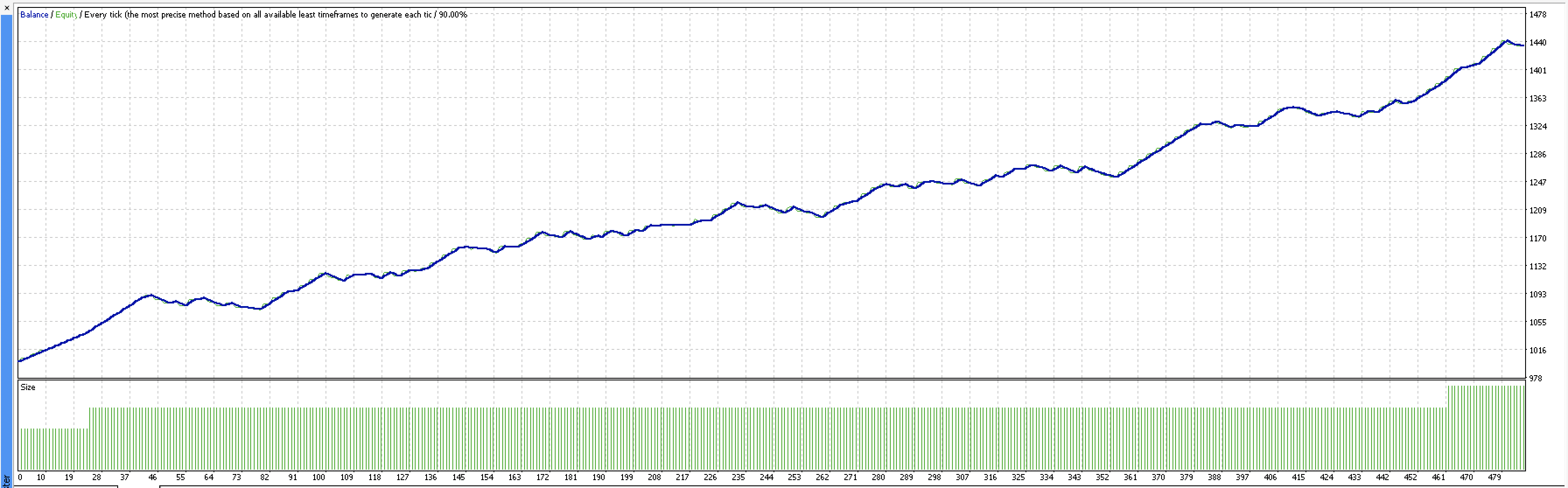
Historical optimization charts, trade execution maps, and technical verification reports from testing setups.
Use arrows or swipe left/right on mobile screens to review different metrics.
The implementation follows standard algorithmic deployment procedures: Open your local MetaTrader 4 desktop terminal application, navigate to the top-level main menu bar, and click File -> Open Data Folder. Inside the local directory structure, access the MQL4 -> Experts directory and paste the downloaded automated file containing the compiled .ex4 software format.
After successfully pasting the asset, restart your platform or locate the "Navigator" sidebar window, right-click the "Expert Advisors" node, and trigger the "Refresh" action command. Drag the designated AlphaCompassSTARS expert advisor onto your active terminal chart window (specifically the XAUUSD chart), make sure your input parameters align with your risk strategy, navigate to the common settings tab to verify specifications, and enable the global "Auto Trading" toggle button in the top menu bar.
A grayed-out icon next to your Expert Advisor inside the MT4 Navigator tree menu window usually implies that the client terminal detects the uncompiled source code file (.mq4) but cannot locate or execute the corresponding compiled executable (.ex4) binary file. This issue frequently arises when the compilation process fails due to structural programming syntax errors or missing library files within the platform configuration directories.
To resolve this technical error, launch the built-in MetaEditor IDE by pressing F4, open the source script, and click the "Compile" button at the top or press F7. If the script compiles without errors, a fresh executable will instantly be generated, changing the uncompiled grayed-out status of the icon to a fully operational colored icon back in your main trading dashboard.
To globally unlock and enable automated trading routines within the modern MetaTrader 4 build environment, you must adjust the core application settings panel. Navigate directly to the top menu, select Tools -> Options, and click on the Expert Advisors tab. Inside this interface, check the box labeled "Allow automated trading" to activate live script execution.
For complete programmatic functionality, you should also check the safety parameters "Allow DLL imports" and "Allow WebRequest for listed URLs", which are highly essential for advanced artificial intelligence bots like AlphaCompassSTARS that sync data with server-side network infrastructures. Finally, ensure the individual robot settings have the "Allow live trading" flag enabled before running the system.
When a MetaTrader 4 expert advisor refuses to execute market orders automatically, it usually indicates a conflict in security access permissions or broker account specifications. First, verify that the global Auto Trading switch is turned on and displaying a green icon, and that the emotional emoticon in the upper right-hand corner of the active chart is showing a smiling face instead of a sad frown.
If those elements are correct, check the "Experts" and "Journal" logs located in the terminal window at the bottom of your workspace to inspect for specific error codes like "Trade Is Disabled" or "Invalid Stops". These system logs will explicitly tell you if your current broker account type restricts automated execution, if your internet connection has dropped, or if the initial minimum account balance is insufficient to margin the minimum trade lot size.
To successfully change, configure, or optimize your automated EA inputs parameters after the software has been deployed, right-click anywhere within the active trading chart workspace, hover over the Expert Advisors menu item, and select Properties, or simply press the F7 shortcut key on your keyboard.
This action instantly opens the configuration panel containing the "Inputs" tab, where you can modify lot allocation metrics, adjust drawdown risk parameters, set trailing stop values, or upload pre-configured .set file matrices. Modifying inputs through this window allows traders to dynamically fine-tune algorithmic behavior to match current asset conditions without needing to remove, reinstall, or restart the active .ex4 software package.
Gold (XAUUSD) possesses significant Average True Range (ATR) values and massive intra-day price fluctuations, making fixed stop loss and take profit targets a vital priority for capital survival. Without hardcoded protective boundaries, sudden price liquidity spikes during top-tier macroeconomic data news releases can cause catastrophic account margin failures within a matter of seconds.
Implementing strict automated stop loss parameters ensures that high slippage, market gaps, or sudden institutional order block distributions cannot deplete your balance. Advanced software systems like AlphaCompassSTARS integrate absolute structural stop levels on every execution, protecting equity curves against unpredictable black swan volatility and guaranteeing a stable mathematical win expectancy over long horizons.
The 5-minute (M5) candle interval is widely documented as the absolute best timeframe for trading gold with artificial intelligence trading bots and neural network models. The M5 perspective provides an ideal balance by offering deep granular price action structure without the overwhelming market noise commonly found on raw 1-minute tick charts.
By executing strategies on the M5 timeframe, short-term scalping algorithms can identify rapid micro-trend formations and swift institutional order distributions early in their development cycles. This allows AI engines to capitalize on immediate price momentum and lock in quick target objectives before high broker spread markups or commissions erode trading performance margins.
High market volatility acts as a double-edged sword for short-term gold forex scalping strategies, accelerating both profit capture speeds and potential downside drawdown exposure. When asset volatility expands during the New York market open or central bank interest rate announcements, order books can thin out dramatically, causing substantial spread widening.